macOS · Windows · Linux — free & open source

Video contact sheet & thumbnail generator

Mosaic turns any video into a contact sheet, a set of screenshots, or an animated preview — in batches, on your own machine. Drop in a folder, pick what to produce, walk away. Every pipeline drives your local ffmpeg, so nothing is ever uploaded anywhere.

What is a contact sheet?

A single image holding a grid of frames sampled evenly across a video, each stamped with its timestamp. One glance tells you what a file contains and whether the encode holds up — without scrubbing a player. Archivists, editors and encoders use them as a visual index.

Why a desktop app?

Tools for this have existed for years, but nearly all are command-line only, Linux only, or unmaintained. Mosaic is native on macOS, Windows and Linux: drag-and-drop queue, live per-file progress, and a cancel button that genuinely stops work mid-encode.

Handles the awkward files

HDR10, HLG and Dolby Vision (including Profile 5) are tonemapped to clean SDR automatically, so sheets are not washed-out grey. MediaInfo enrichment gives real codec names — Dolby Digital Plus, not eac3.

~/mosaic/output-types

4 output types, 1 batch queue

Drop videos or folders, pick what to produce, walk away. Every pipeline runs your local ffmpeg — nothing leaves the machine.

IDX
NAME
DESCRIPTION
OUTPUT
01.
contact_sheets/
Grid of timestamped frames at configurable rows × columns. Ideal for archival indexes or preview catalogs.
PNG · JPEG
02.
screenshots/
Individual frames at evenly-spaced timestamps, with configurable count. Full-resolution, numbered, named after the source video.
PNG · JPEG
03.
animated_reels/
Short clips stitched end-to-end into a single reel. Motion preview without opening a video player.
WebP · WebM · GIF
04.
animated_sheets/
Grid of animated thumbnail clips — every cell loops a short motion clip. Motion at a glance, contact-sheet layout.
WebP
~/mosaic/flags

Built for real work

Four decisions that shape how Mosaic behaves under load.

batch-queue
Drop folders. Per-file progress. Cancel at any point without corrupting in-flight outputs.
hdr-tonemap
HDR10, HLG, and Dolby Vision videos produce clean SDR thumbnails without a manual tonemap step.
local-only
Videos never leave the machine. Zero analytics. The only network call is an update check against GitHub's public API.
mosaic-cli
Every pipeline as a subcommand — screenshots, sheet, reel, animated-sheet, probe. Stdout is paths-only so it pipes cleanly into xargs. Demo →
~/mosaic/screenshots/app.png

The app

Minimal by design. Dark-by-default, follows your system theme. Native on every platform.
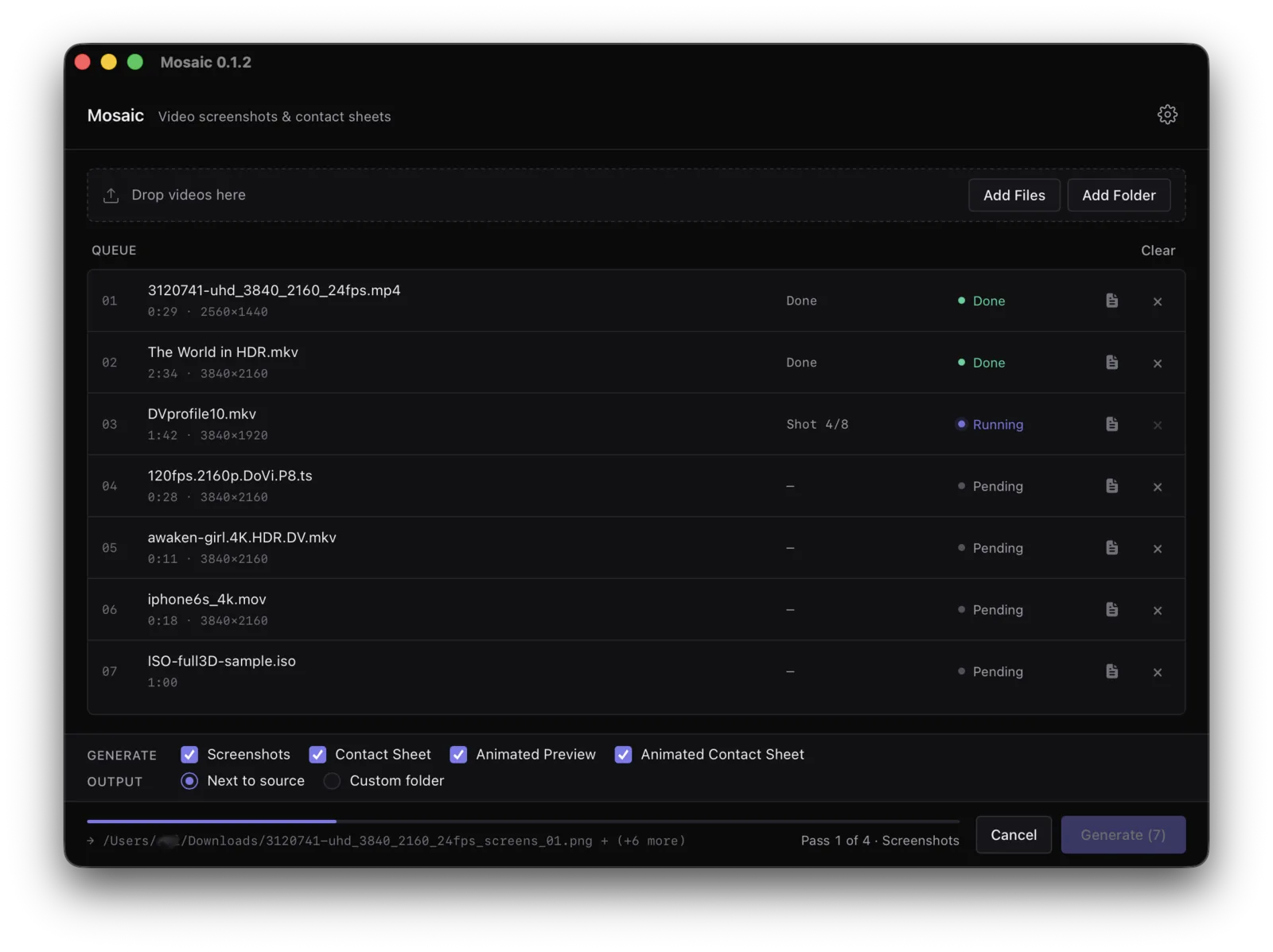
Mosaic app window showing a drag-and-drop batch queue with video files processing
mosaic.app · mac-universal prores 422 source
~/mosaic/cli

mosaic-cli — the same pipelines, scriptable

For batch jobs, headless servers and CI. Paths go to stdout and the summary to stderr, so output pipes straight into xargs without filtering. Same ffmpeg requirements as the app.

zsh — mosaic-cli
real output
mosaic-cli --version mosaic-cli 0.1.6 mosaic-cli --help Video contact sheets, screenshots, previews, and animated sheets Usage: mosaic-cli <COMMAND> Commands: screenshots Capture individual frames from a video sheet Generate a still contact sheet (grid of thumbnails) reel Generate an animated preview reel from short clips animated-sheet Generate an animated contact sheet (grid of animated clips) probe Print ffprobe/mediainfo metadata as JSON completions Emit a shell-completion script to stdout manpage Emit a roff man page to stdout mosaic-cli sheet ~/films/arrival.mkv --cols 5 --rows 4 /Users/abi/films/arrival_sheet.png 1 done · 0 failed · 0 cancelled mosaic-cli screenshots ~/films/arrival.mkv -o ./out --count 4 /Users/abi/out/arrival_screens_01.png /Users/abi/out/arrival_screens_02.png /Users/abi/out/arrival_screens_03.png /Users/abi/out/arrival_screens_04.png 1 done · 0 failed · 0 cancelled mosaic-cli probe arrival.mkv | jq -c '.video | {codec, width, height, is_hdr}' {"codec":"hevc","width":3840,"height":2160,"is_hdr":true} # stdout is paths-only — the summary goes to stderr mosaic-cli sheet ~/films/ -o ./sheets | xargs -n1 basename arrival_sheet.png dune_sheet.png sicario_sheet.png
install mosaic-cli
one-liner
# macOS & Linux curl -LsSf https://mosaicvideo.github.io/install.sh | sh # Windows (PowerShell) irm https://mosaicvideo.github.io/install.ps1 | iex

Verifies the SHA-256 checksum, installs to a user-scoped directory, and prints next steps. Full CLI docs & manual install →